New Tool: Your Month-End Close Risk Assessment
Take The Quiz

FinQuery Accruals & Prepaids

Faster, More Accurate Closes for Large Portfolios of
Accruals & Prepaids.

Continuously reconcile expected vs. actual payments all month long—so there are zero surprises at period-end.

  • Continuous Reconciliation: Reconciles spend all month long so your close never feels like an emergency.
  • Accurate to the Cent: Links every single journal entry back to its source document for a flawless audit trail.
  • Zero Manual Catch-Ups: Auto-calculates true-up entries the moment late bills arrive—no spreadsheet math required.

Get a Demo

Einstein
Lands End
Frontier
Community Bank
Choice Hotels Logo

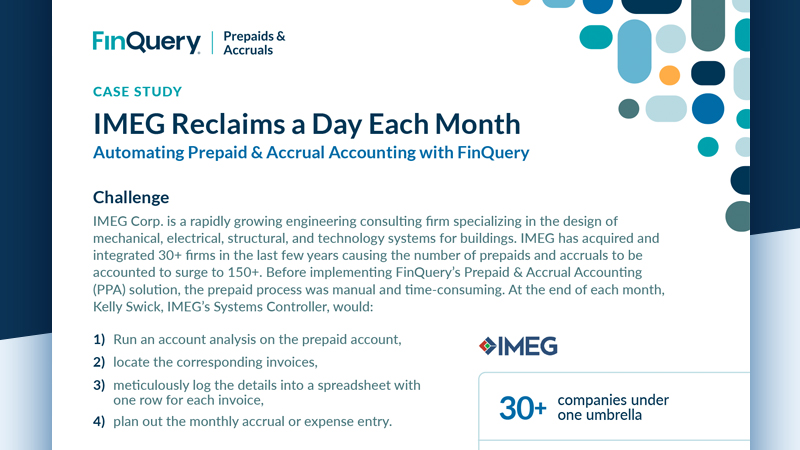
“Managing 300+ monthly prepaid entries was labor intensive, especially with frequent acquisitions. FinQuery’s automation enabled faster preparation of draft financials, saving significant time.”

Kelly Swick

Systems Controller

How It Works

Turn Month-End Chaos into a Continuous Close.
Add Contracts

Ingest via Source Document Intelligence

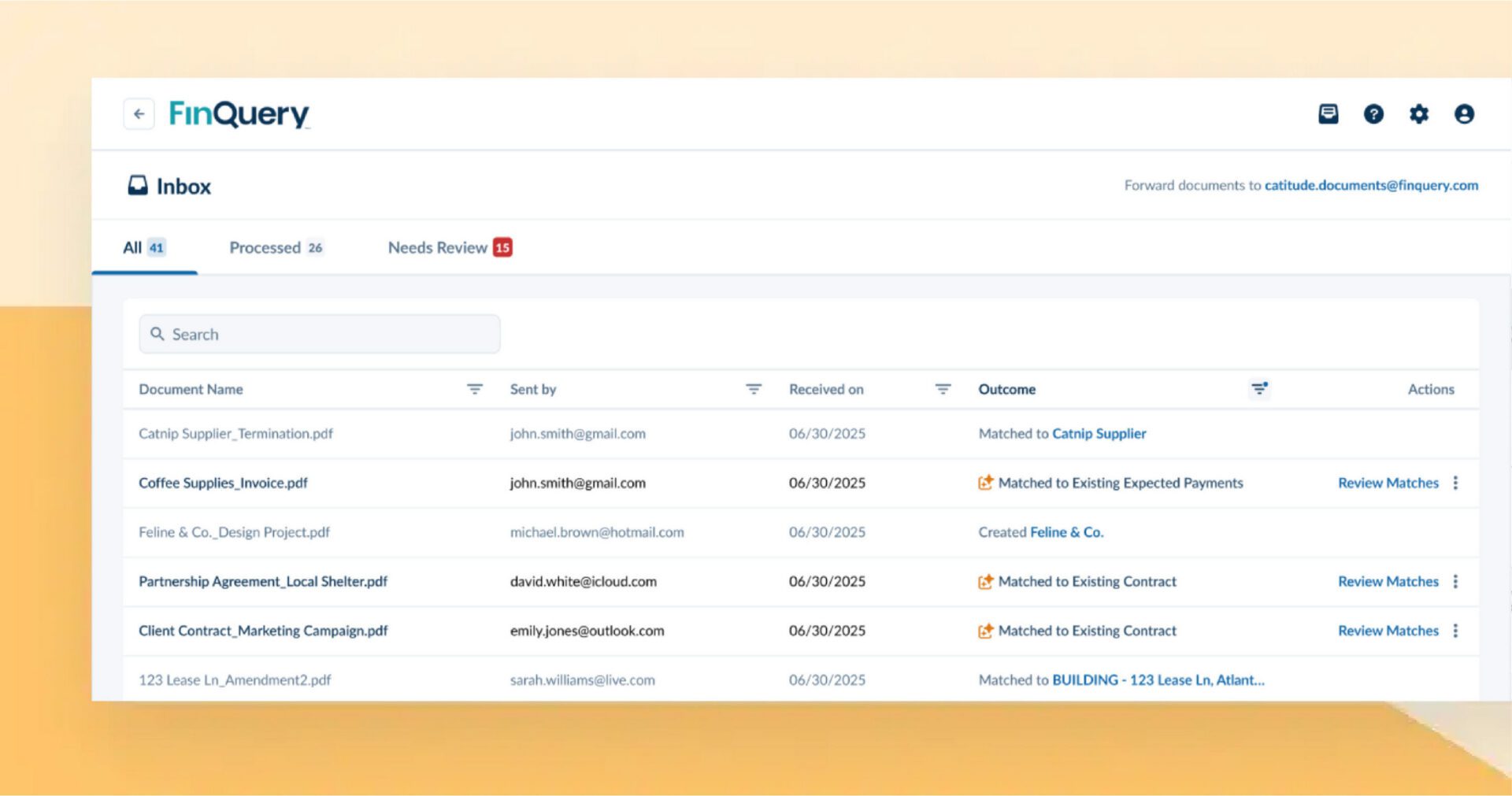
Forward invoices or other source documents to @finquery-inbox.com. FinQuery’s AI instantly classifies, routes, and matches payments against expected schedules—eliminating manual entry entirely.
Manage in One Place

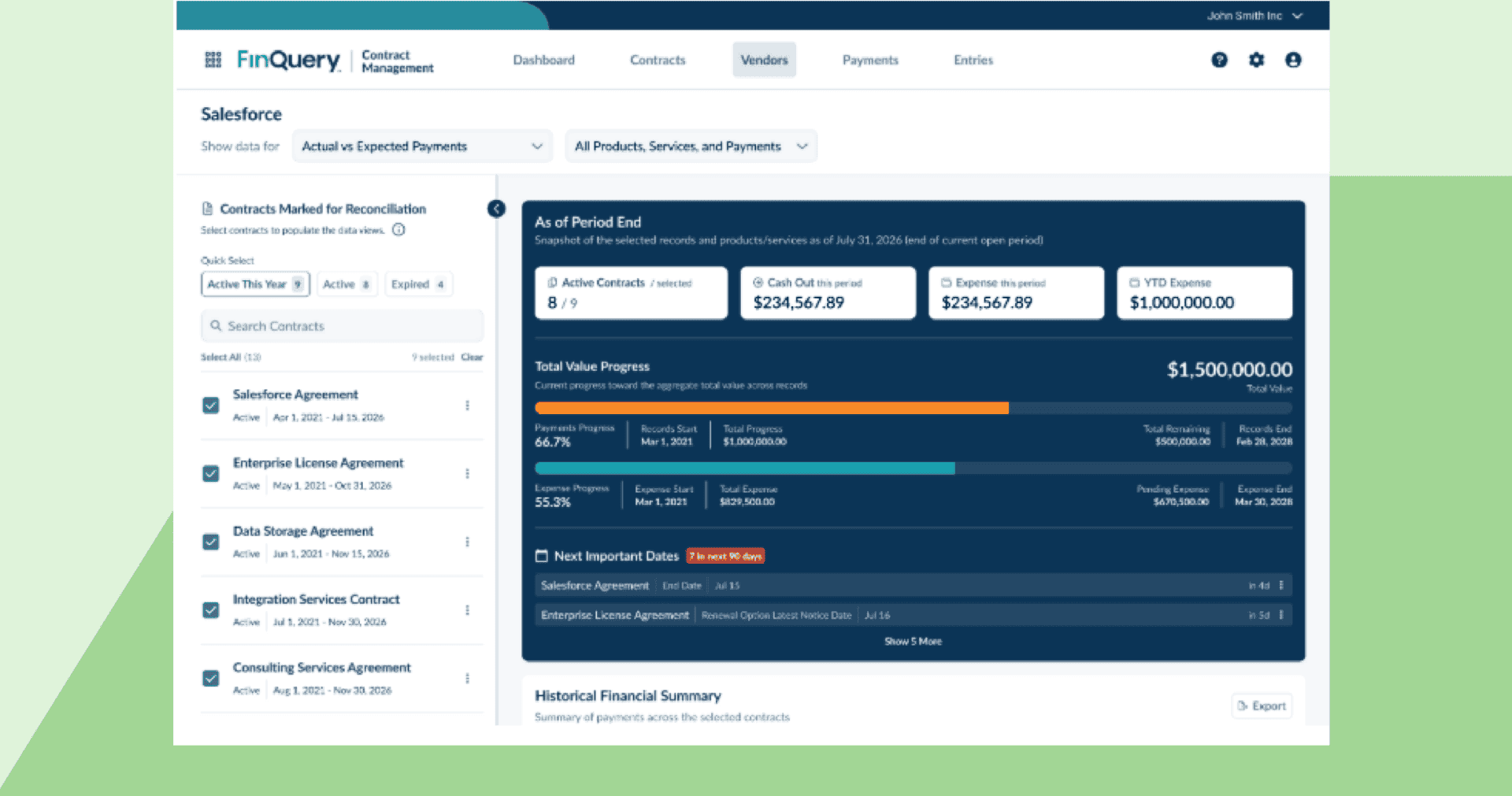
Reconcile Expected vs. Actual Spend Continuously

FinQuery instantly maps payment schedules from source documents, continuously cross-referencing them against actual ERP spend. The system automatically tracks variances, catches real-time anomalies, and flags missing invoices before they derail your close.
Track & Analyze

One Click Journal Entries

Generate schedule-backed journal entries and automated roll-forward reports with zero manual data compilation. Track variances and sync clean financial data directly to your General Ledger.

Why Mid-Market Accounting Teams Choose FinQuery

Single Subledger

Reconcile Continuously Throughout the Month

Month-end shouldn’t feel like an emergency. FinQuery continuously tracks expected vs. actual payments per arrangement, automatically surfacing anomalies and flagging missing invoices. Because true-up journal entries are auto-calculated, you will never manually calculate a catch-up entry again.
Single-Click Journal Entries

Every Entry Traced to the Source Document—Accurate to the Cent

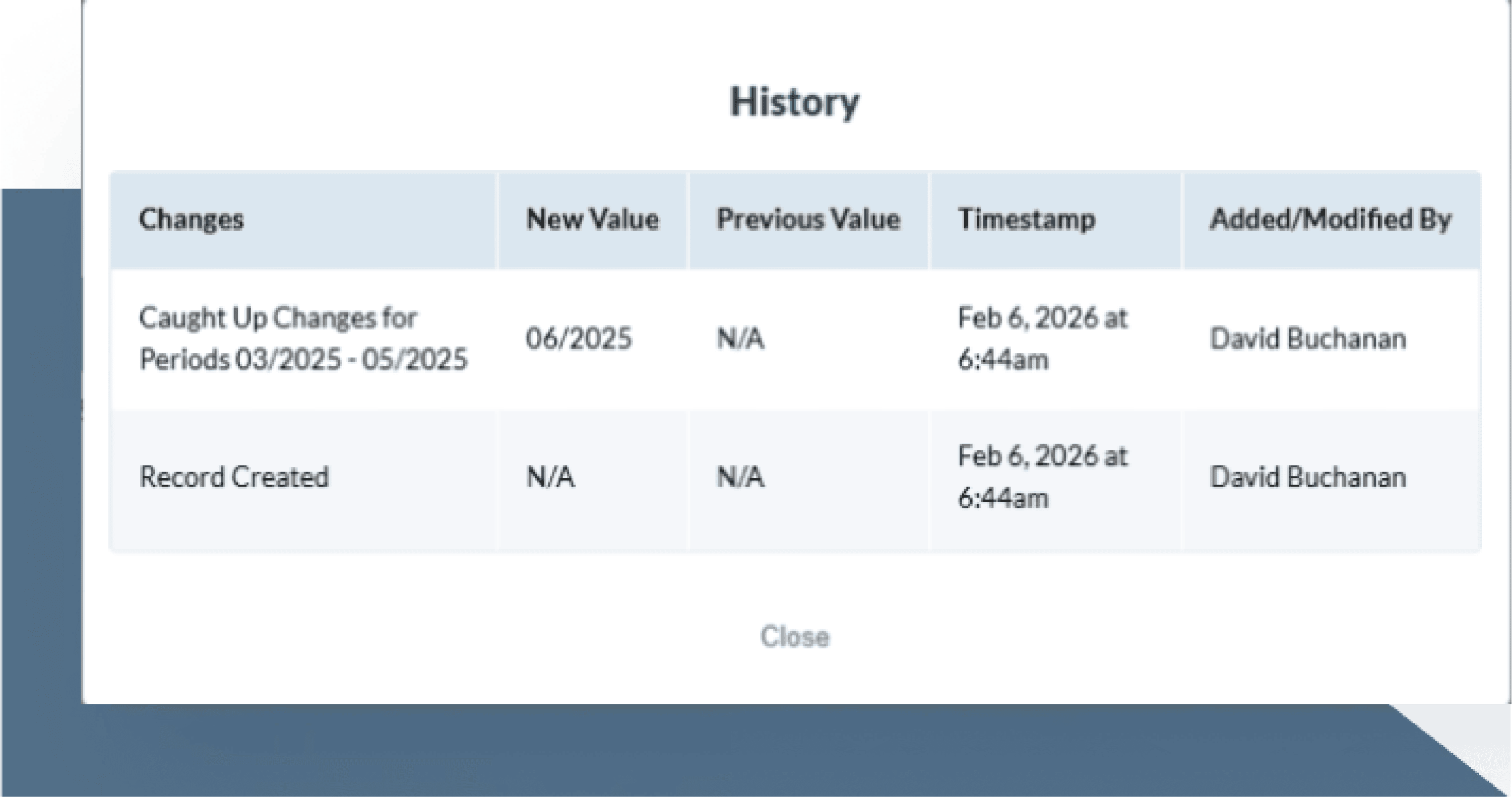
FinQuery replaces the error-prone handoffs of spreadsheet accounting with an indisputable, source-to-close audit trail. Every single journal entry is permanently linked back to its origin. Grant your auditors read-only access to source documents and schedules in one place to eliminate manual PBC (Provided by Client) pulls entirely.
Expense Forecasting

Run Finance and FP&A with Total Confidence

Accounting should never be the last to know about changes in the business. Set up custom alerts for contract renewal dates and opt-out windows, weeks in advance. Generate forward-looking cash and expense forecasts based on actual document terms, giving leadership a clear view of future financial obligations.
Capability Spreadsheets + ERP Legacy ERP Modules FinQuery
Continuous Matching Manual No Yes (All Month Long)
Invoice Capture & Matching Manual Entry & Cross-Checks Basic OCR / Manual Routing AI Inbox + Auto-Reconciliation
Source Document Reads Human Input Invoices Only Contracts, SOWs, POs
Unified Schedules Separate Workbooks Siloed Modules Single Record
True-Up Calculations Manual Reversals Rigid True-Ups Automated (First Open Period)
Auditor Management Manual PBC Pulls Expensive Licenses Free Read-Only Access

Features

Single Subledger

Source Document
Intelligence

Simply CC FinQuery on any contract, SOW, or PO to instantly extract key terms, build expense schedules, and eliminate the manual hunt for uninvoiced spend.
Single-Click Journal Entries

Continuous Payment Reconciliation

Stop waiting for month-end to clean up your books. Cross-reference AP transactions against expected schedules to catch real-time anomalies and flag missing invoices.
Expense Forecasting

Unified Accrual & Prepaid Schedules

Bridge visibility gaps when prepaid assets expire before renewal invoices arrive. Unify workflows in a single record, automate background accruals until the bill arrives, and instantly true up balances into prepaid assets.
AI-enabled Data Entry

Reversal-Free True-Up Logic

Ditch tedious reversing journal entries. FinQuery continuously reconciles expected vs. actual payments throughout the month, automatically adjusting schedules as actual spend lands to keep your subledger clean.
Rollforward Reporting

Automated True-Ups & Catch-Up Adjustments

Never manually calculate a catch-up entry again. When invoices arrive after the period closes, FinQuery automatically calculates what’s owed and posts clean adjustments without disrupting closed periods.
Audit Trail

Automated Invoice Reclassification Rules

Fix AP miscoding errors without tedious month-end flux analysis. Automatically catch prepaids coded to P&L, reclassifies balances, and generates adjustment entries for a one-click GL export.
Automated Amortization

Precision Roll-Forward
Reports

Streamline reconciliations with line-item precision. FinQuery generates schedule-backed roll-forwards to deliver precise variance analysis and protect your close timeline.
Automated Amortization

Centralized Vendor Command Center

Access instant visibility into true vendor commitments. Track expense progress, spot payment variances automatically, and filter your spend data in a single click.
Automated Amortization

Secure Subledger with Read-Only Auditor Access

Establish a source-to-close audit trail linking journal entries directly to original documents. Eliminate high-stress PBC (Provided by Client) data pulls by giving auditors read-only access to a centralized repository.

Bring precision, scale, and ironclad controls to your accruals and prepaids—accurate to the cent.

FAQs

What makes FinQuery different from other accrual & prepaid accounting software solutions?

While standard accrual accounting software solutions act as passive databases, FinQuery functions as a proactive subledger designed to streamline your close. FinQuery automates processes like journal entries and payment reconciliation for true-ups to eliminate surprises that come with manual management.

What are the core accounting outputs generated by FinQuery Accruals & Prepaids?

FinQuery automates accrued and prepaid expense amortization schedules, journal entries, expense forecasting reports, and accrued liability/prepaid asset rollforward reports for reconciliations. Crucially, it delivers automated roll-forward reports that track your exact line-item activity path: beginning balances, plus additions, minus subtractions, to arrive at your final ending balance.

Does FinQuery Accruals & Prepaids use AI?

FinQuery leverages proprietary AI-source data extraction to transform source documents into accounting outputs. Simply forward your contracts, invoices, and SOWs to an AI-inbox and FinQuery creates your expense schedules – no manual entry needed.

How does FinQuery handle accrued expense tracking for missing year-end or month-end invoices?

FinQuery cross-references your document repository and flags any missing payments and books corresponding accruals to eliminate surprises at close. Once the invoice arrives, FinQuery automatically calculates and books the catch-up entries, ensuring real-time accuracy without delaying your close.

Does FinQuery work alongside LeaseQuery?

Yes – FinQuery operates as a unified platform and works alongside its lease accounting solution, LeaseQuery. By housing both your lease accounting schedules and your accrual and prepaid asset workflows under a single roof, your organization benefits from a centralized, audit-ready source of truth for all complex corporate financial obligations.

What kind of source information can the solution use?

FinQuery is built to be flexible. It takes unstructured source documents – an invoice, a contract, a receipt, or even an email – and extracts data to set up accounting workflows and create a digital trail from every subledger post back to the source.

What if I don’t have a source document for entry?

FinQuery is flexible and no actual source document is required. You can manually enter the terms, parameters, and segment allocations directly into the subledger. The system will still fully automate the ongoing amortization schedules, payment reconciliations, and journal entries, saving significant manual math overhead.

Is FinQuery Accruals & Prepaids SSO compatible?

Yes. FinQuery Accruals & Prepaids integrates with any single sign-on (SSO) system that supports Security Assertion Markup Language (SAML) 2.0.

Are the number of users limited?

No. You can provide as many users access as you wish, enabling multiple users to manage source documents, accruals, and prepaids.

Are there multiple user types?

Yes. Role-based access enables you to determine who has access to what documents or features. For example, you can grant your auditors read-only access to further streamline your audit process.